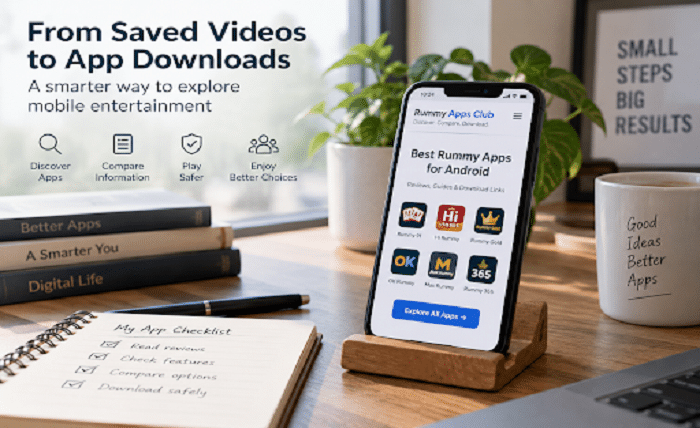
Imagine coming across a short video that introduces an unfamiliar mobile app. The interface looks straightforward, the demonstration catches your attention, and you save the clip to revisit later. When you return, however, a few practical questions remain. Who publishes the app? Will it work on your phone? Does the actual experience match what appeared in the video?
Those questions deserve more attention than the download button.
Discovering an app and deciding to install it are two separate decisions. A video, screenshot, or recommendation can provide the introduction. Choosing what belongs on your phone calls for a closer look at the source, the app information, and your own expectations.
Here is a practical way to move from casual browsing to a more informed choice.
Treat a Saved Clip as a Starting Point
A useful approach is to treat every saved recommendation as a research note rather than an instruction to download.
Write down the app’s name and the feature that interested you. Perhaps it was a simple editing tool, a particular entertainment category, or an interface that seemed easier to navigate. Keeping that original reason in mind gives you something specific to investigate.
Then look beyond the demonstration. Does the app’s own description explain the same feature? Is it available without additional purchases? Does it require an account? Is the demonstration relevant to the version currently offered?
For example, a clip showing an uncluttered home screen does not answer whether the app sends frequent notifications. A smooth demonstration also does not establish how it will perform on your particular device. These are separate questions, and they should remain separate during your research.
Decide What You Actually Need
Before comparing applications, describe the experience you are looking for in one sentence.
“I want something simple to use during a short break” is a more useful starting point than “I want the best entertainment app.” So is “I want to understand a familiar card game on Android” or “I need a tool for organizing media I already have.”
This small distinction makes comparison more manageable. Instead of judging every app by the same broad promises, you can focus on what matters to you: readable instructions, straightforward navigation, language options, or control over notifications.
Consider your limits as well. Would you prefer not to create another account? Are you comfortable sharing the information requested? Do you want an experience without purchases or paid participation?
An app does not have to suit everyone. It has to meet your needs without asking you to accept conditions you would otherwise avoid.
Use an Overview to Narrow the Search
Once you know the category you want to explore, an overview can help you identify which individual applications deserve closer attention.
For adult readers researching card-game applications, Rummy Apps Club brings together app listings and links to individual information pages. The website describes itself as an independent informational platform rather than an operator of the third-party apps it lists. That distinction is important when deciding how to use its content.
Use an overview to organize your research, not to replace it. Pick a small number of relevant entries and compare them using the same questions. What is the application intended to do? What information is available about compatibility? Where does the download link lead? Who would handle an account problem?
A short comparison based on clear criteria is more useful than opening dozens of tabs and choosing whichever page has the most prominent button.
Read the Individual Profile, Not Just the Headline
An app name and a brief description are enough for discovery, but they should not be the end of the process.
Look for a dedicated page that separates technical information, described features, installation guidance, and frequently asked questions. Read these sections with a specific purpose: identifying what is documented and what still needs confirmation.
For example, the Hi Rummy listing includes sections for technical details, features, installation instructions, and common questions. It also identifies the content as an informational listing rather than an official operator statement. Readers should distinguish those published descriptions from independently verified performance or security findings.
This is also the stage to resolve inconsistencies. When a promotional clip, an information page, and the publisher’s documentation disagree, do not simply choose the most appealing description. Establish which version each source refers to and whether the information can be confirmed.
Unanswered questions are a reason to pause, not a reason to assume everything will work as expected.
Check the Download Source Separately
A helpful article and a trustworthy installation source are not automatically the same thing. Evaluate the destination of a download link separately from the page that introduced it.
Google recommends obtaining Android apps through Google Play and warns that downloading from unknown sources can put a device and personal information at risk. Android also allows applications from other sources, but that flexibility should not be mistaken for an assurance about every file available online.
Before proceeding, check whether the source clearly identifies the publisher and the application. Avoid choosing between several unexplained download buttons or relying on a file forwarded without context.
A familiar name alone is not enough information. You should be able to explain where the file came from and why you believe it belongs to the application you intended to research.
When the source remains unclear, keeping the app on your research list is a better decision than installing it simply to find out.
Review Permissions in Context
Permissions deserve a separate check because they concern what an application can access, not just what it displays.
Android allows users to allow or deny supported permission requests and review them in device settings. Permissions can include access to the camera, microphone, contacts, location, and other features. Google’s guidance explains how to review permissions for an individual app or by permission type.
Consider each request in relation to the feature you are using. A request associated with recording audio should be evaluated differently from the same request appearing while you browse a text-only information screen.
Ask what the permission enables, whether that feature matters to you, and whether the app explains the request clearly. Do not approve everything merely to move through setup faster.
The same approach applies to account information. Read the explanation before providing personal details, and avoid treating registration as a necessary next step just because you have already spent time researching the app.
Keep Device Protection Enabled
Checking a source and reading permissions are useful habits, but they should complement device protections rather than replace them.
On devices with Google Play Protect, the service checks applications for potentially harmful behavior, including apps from outside Google Play. It can warn about, disable, or remove harmful applications. Google recommends keeping Play Protect enabled.
Do not switch off protection simply because a download page tells you it is necessary. Investigate the warning instead.
Also keep the scope of a security check clear. Whether software triggers a malware warning is a different question from whether its content suits you, its support is responsive, or its commercial terms are acceptable. Those decisions still require your judgment.
Choose the Experience, Not the Promotion
The final decision should come back to the reason you started looking.
Can you understand what the app offers? Are the instructions readable? Can you find help and settings without unnecessary searching? Are you comfortable with its permissions, account requirements, and any costs?
For card-game applications, read the rules and distinguish ordinary entertainment features from paid participation. Do not treat promotional rewards as a reason to ignore age requirements, applicable restrictions, or conditions you do not understand.
There is no obligation to install an app because you saved its video, opened its profile, or spent time comparing it. Research has done its job when it helps you make a decision—including deciding to leave an app alone.
A saved clip can introduce something interesting. A clear source, understandable information, and a good fit with your needs are what should determine the next step.